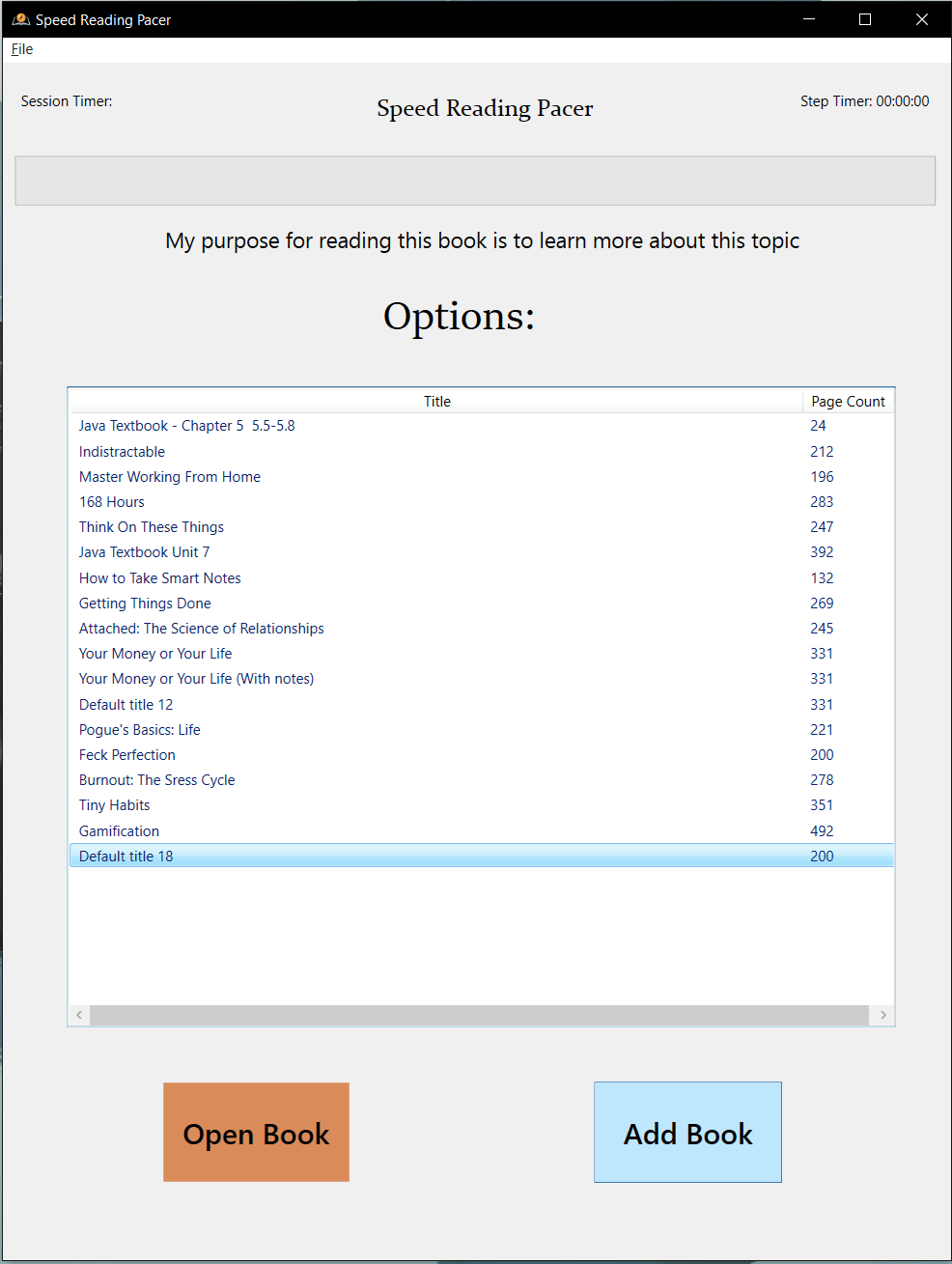
What It Does
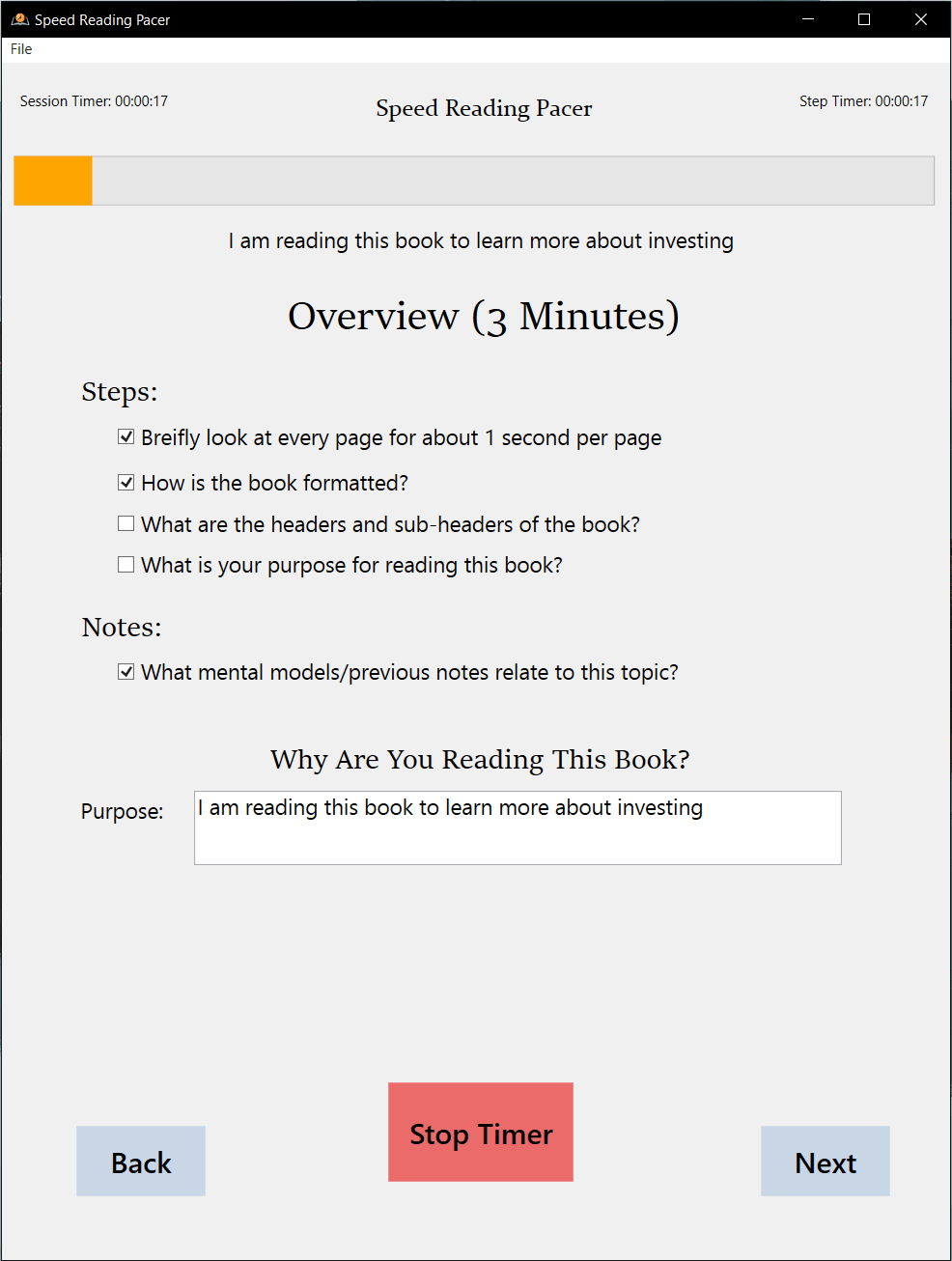
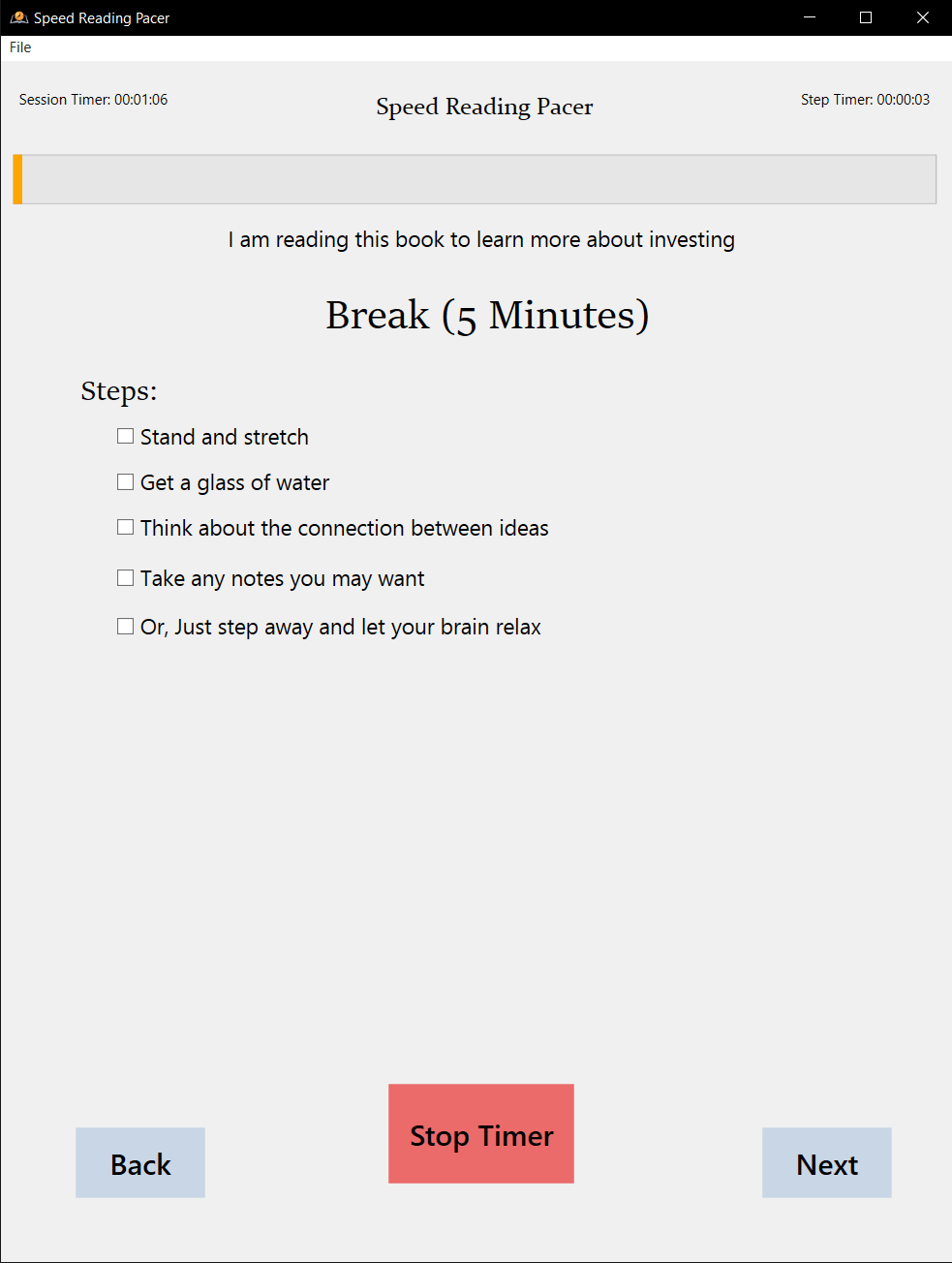
- Guides users through a 7-phase reading workflow: Overview → Preview → Read → Break → Notes → Processing
- Automatically calculates reading times based on customizable WPM (words per minute) goals
- Tracks real-time progress with visual timers and color-coded states (active/paused/complete)
- Divides books into logical sections with custom page breakpoints for manageable reading chunks
- Saves progress automatically every 30 seconds with persistent JSON storage
- Provides audio feedback using retro game sound effects for motivation and phase transitions
- Manages multiple books in a library with quick switching and duplicate/delete operations
 Configure reading parameters: set WPM goals, page counts, and section breakpoints.
Why I Built This
I've always been an avid reader—especially technical books and research papers—but I struggled with consistency and retention. I'd read the same page multiple times without absorbing the content, or I'd skip critical steps like previewing chapters or taking notes. Speed reading techniques like the SQ3R method (Survey, Question, Read, Recite, Review) are well-documented, but executing them consistently requires discipline and structure.
After spending over 100 hours researching speed reading through online courses and books, I had the knowledge but lacked the enforcement mechanism. Existing tools were either too simplistic (basic timers) or too complex (overwhelming feature sets). I needed something that would guide me through the complete reading workflow—not just the reading phase—with appropriate timing for each step.
The challenge was clear: transform abstract methodology into a concrete daily-use tool that enforces structured reading phases, tracks progress across multiple books, and provides motivational feedback—all while remaining simple enough to use every day.
 Active reading phase showing real-time page estimation and countdown timer.
How It Works
Speed Reading Pacer is built with C# and WPF (Windows Presentation Foundation) on .NET Framework 4.7.2. The application follows a page-based navigation pattern where a central MainWindow coordinates three separate timer instances—session timer, step timer, and progress bar timer—running at 1-second intervals. This architecture allows pausing and resuming specific timers independently (like pausing the reading timer while the session timer continues tracking total study time).
The core reading workflow breaks down into scientifically-backed phases: Overview (1 second per page for context), Preview (7 seconds per page for structure), Read (calculated from your WPM goal), Break (configurable rest period), Notes (reflection time), and Processing (integration phase). Each phase automatically calculates its duration based on book parameters you configure—page count, section length, target WPM—and provides visual countdown bars with color-coded states.
The real-time page estimation is particularly clever. The formula accounts for your starting page, completed section progress, and current reading velocity: CurrentPage = StartingPage + (SectionLength - PageCountdown) + ((WPM / 60) × ReadingSeconds) / 500. This means if you're reading faster than your goal WPM, the current page indicator updates dynamically to reflect your actual progress, not just your planned progress.
Data persistence uses Newtonsoft.Json to serialize your entire book library—including sections, timers, and progress metrics—to a JSON file in your AppData folder. The auto-save triggers every 30 seconds, so you never lose progress even if you close the app mid-session. The system also handles version migrations gracefully: older save files without the Sections collection automatically upgrade when loaded.
 Divide books into logical sections for better progress tracking and flexible reading cycles.
Basics of Speed Reading
Speed reading isn't about flipping through pages as fast as humanly possible. I define it as "looking for and retaining specific information from a written source." Different materials require different reading strategies—you don't read a fiction novel the same way you read a technical manual or a restaurant menu. You skim a menu for what interests you; you read literature for emotional details and narrative flow.
Here's a secret: you're probably speed reading right now. You're scanning headlines, looking at specific words, trying to get through this article efficiently so you can move on. That's exactly the principle I apply to books, but with structure and deliberate technique.
The methodology I implemented follows these phases:
- Overview – Scan the entire book structure (table of contents, chapter headings) to understand the big picture
- Preview – Quickly scan each section (7 seconds per page) noting headings, bold terms, and structure before deep reading
- Read – Active reading at your target WPM, focusing on comprehension and engagement
- Break – Rest periods to prevent mental fatigue and consolidate information
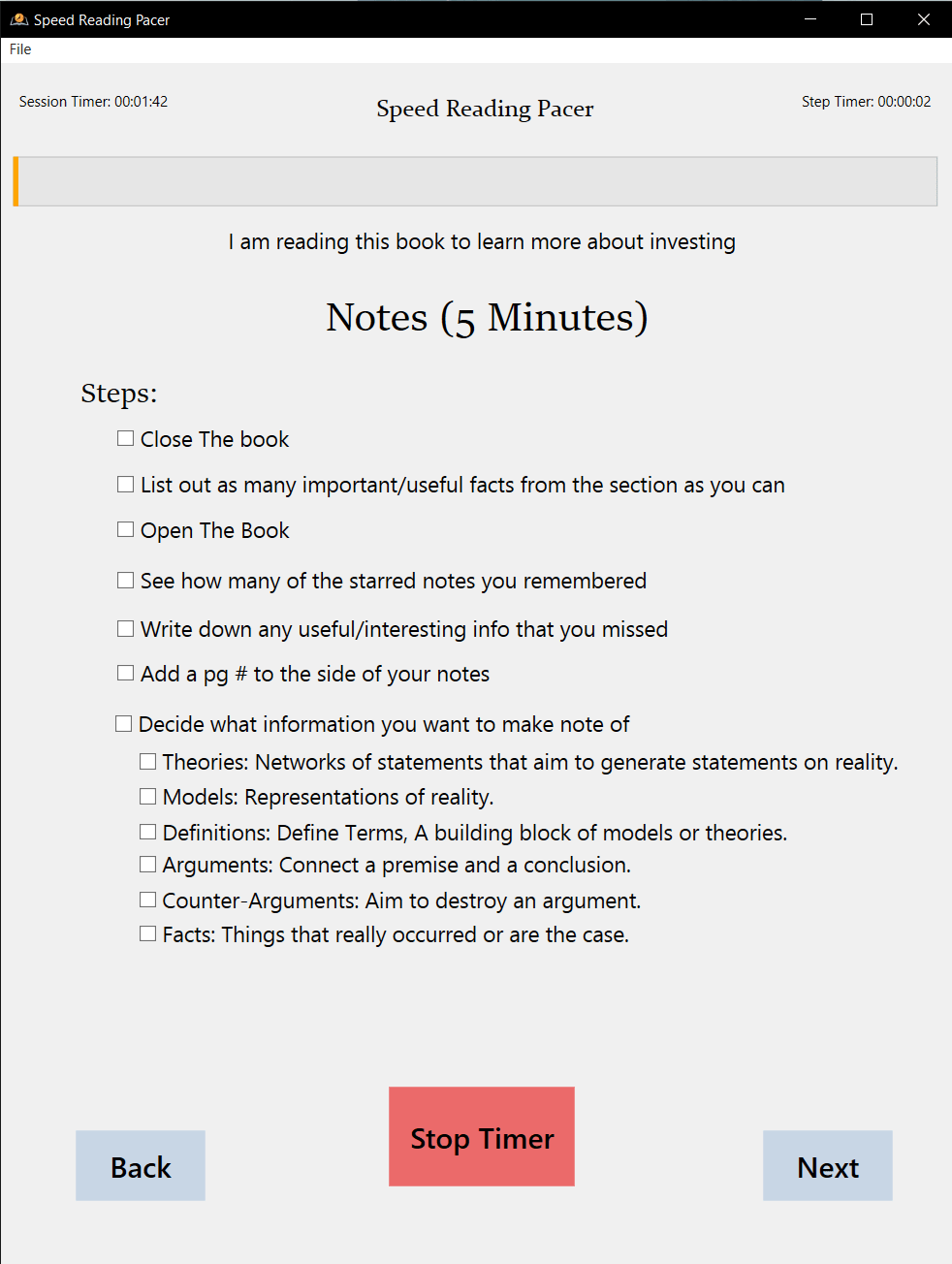
- Notes – Capture key insights, questions, and connections while memory is fresh
- Processing – Review and integrate what you've learned, connecting to prior knowledge
Most people skip the Preview and Processing phases, which are often the most valuable for retention. This app enforces the complete workflow.
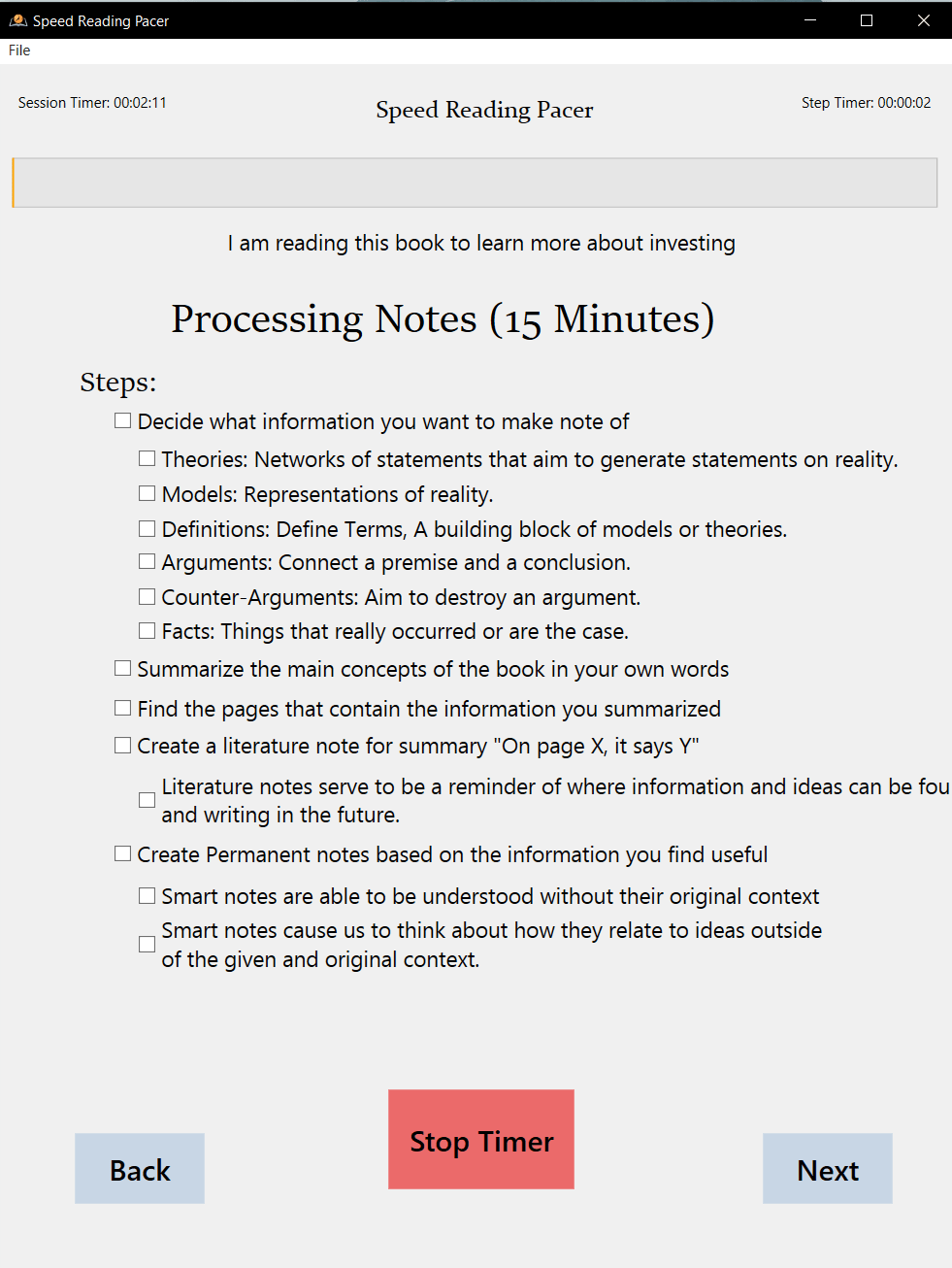 Dedicated phases for taking notes and processing information for better retention.
Impact
By the numbers:
- 20 C# classes and 9 XAML views across ~2,000 lines of code
- 13 months of development (November 2020 – December 2021)
- 52 commits showing iterative feature evolution
- 7 distinct reading phases with automatic timing calculations
- Auto-save every 30 seconds with JSON-based persistence
What changed:
- Transformed abstract speed reading methodology into a concrete, daily-use tool
- Enforced discipline that's difficult to maintain manually, particularly the often-skipped Preview phase
- Eliminated the "where was I?" problem with persistent progress tracking across sessions
- Made reading measurable with WPM tracking and real-time page estimation
- Added personality through retro game audio cues (Super Mario World sounds) that made extended sessions more engaging
Challenges & Solutions
The most frustrating bug was timer "speed-up" when switching between books. Multiple timer instances weren't being properly disposed, causing them to stack and run simultaneously. I solved this by implementing a timersOn boolean flag and explicit timer disposal in navigation methods. Now the app stops all timers before opening a new book, preventing the cascading timer problem.
Page estimation accuracy was another challenge. The original calculation didn't account for section-based progress or reading cycles, causing the "current page" display to show inaccurate values when reading faster than the goal WPM. I refactored to a section-based model where each section tracks its own starting page, length, and countdown. The formula now incorporates section index, page countdown, and real-time reading progress for accurate page estimation throughout the reading session.
Section length calculations became complex when users add or remove breakpoints. When you insert a new section at page 150 in a 300-page book, all subsequent section lengths need recalculation. I implemented a sorting algorithm that calculates differences between consecutive section starting pages, with special handling for boundary conditions (first section, last section, single section). This ensures section lengths stay accurate as users customize their reading structure.
Data migration was surprisingly tricky. Early versions lacked the Sections collection, causing deserialization errors when loading old save files. I added null-coalescing initialization that automatically upgrades legacy saves: book.Sections = book.Sections ?? new ObservableCollection<BookSection>(). This pattern taught me the importance of forward-compatible data structures from day one.
What I Learned
Start simple and refactor based on real usage. My development journal shows the evolution from single-book tracking to multi-book library with section divisions. Each feature built on stable foundations rather than trying to architect everything upfront. This incremental approach prevented over-engineering and kept the project moving.
Timer lifecycle management in UI applications requires careful attention. Working with three concurrent System.Timers.Timer instances taught me about disposal patterns, UI thread marshaling with Dispatcher.Invoke, and state flags. The timer speed-up bug was a valuable lesson: always clean up resources across navigation events, especially in single-window applications where state persists.
JSON serialization is great for human-readable saves and debugging, but requires a versioning strategy. Using Newtonsoft.Json with null-coalescing for missing properties worked well for this project, but for larger systems I'd now use database migrations. The experience informed my approach to schema evolution in later projects.
Small UX decisions have outsized impact. The decision to use Super Mario World sound effects instead of generic system beeps added personality and made the tool genuinely enjoyable to use daily. Never underestimate the motivational power of delightful details.
Future improvements (if I revisited this):
- Migrate to .NET 6+ for cross-platform support and modern Windows 11 UI APIs
- Replace JSON storage with SQLite for better query performance and relational data management
- Implement MVVM pattern more rigorously (current code mixes view logic with code-behind)
- Add statistics dashboard showing WPM trends, phase completion rates, and velocity comparisons
- Implement cloud sync for cross-device progress tracking
- Add keyboard shortcuts for pause/resume, skip phase, and quick book switching
- Modern UI refresh with Material Design or Fluent UI styling
- Unit tests for timer coordination and page calculation formulas
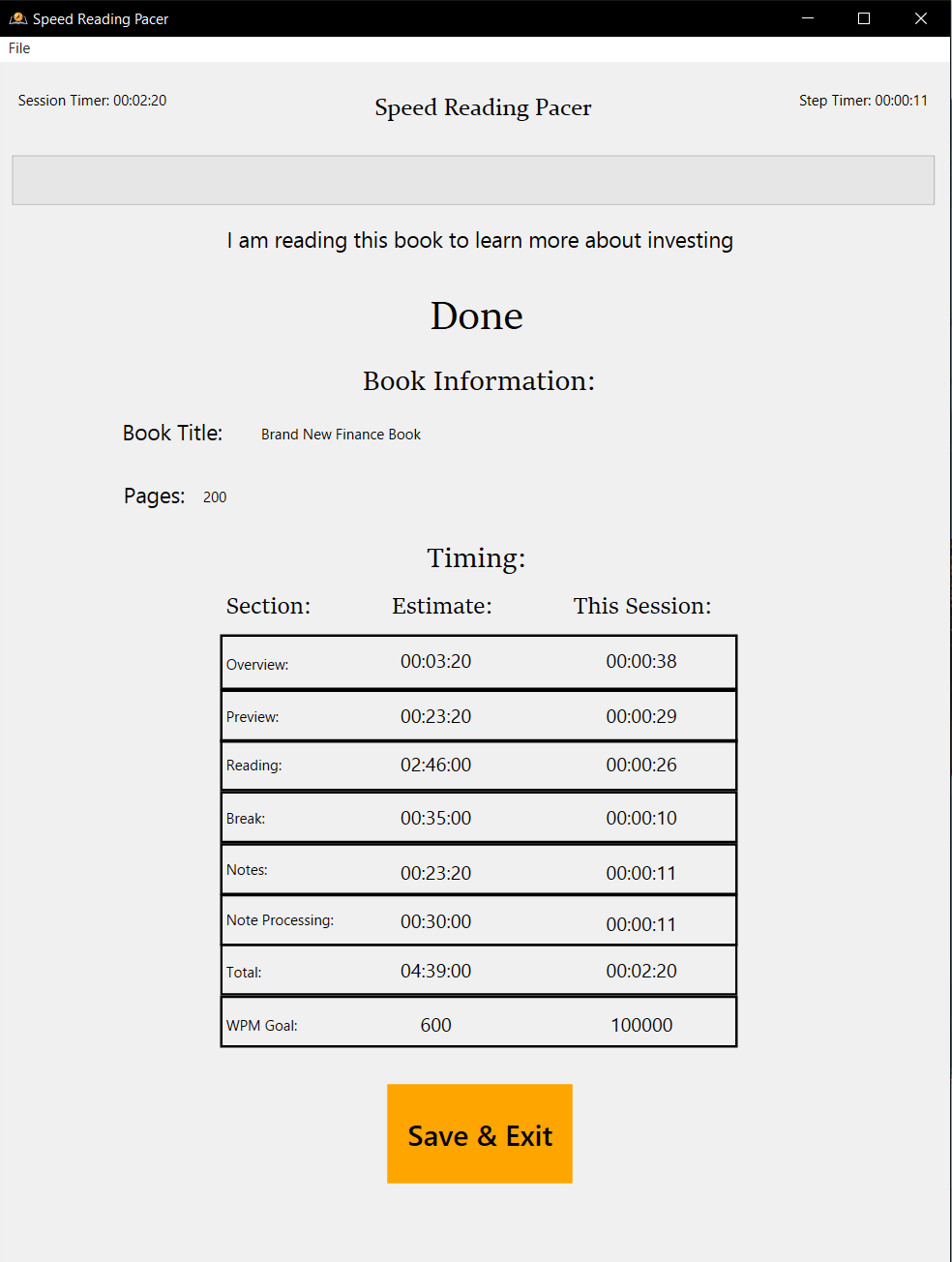 Session completion with progress summary and next steps.
Links
- Tech Stack: C#, .NET Framework 4.7.2, WPF, XAML, Newtonsoft.Json
- Status: Completed personal project (13 months development)
- Platform: Windows desktop application
- Code: Private repository (personal project)