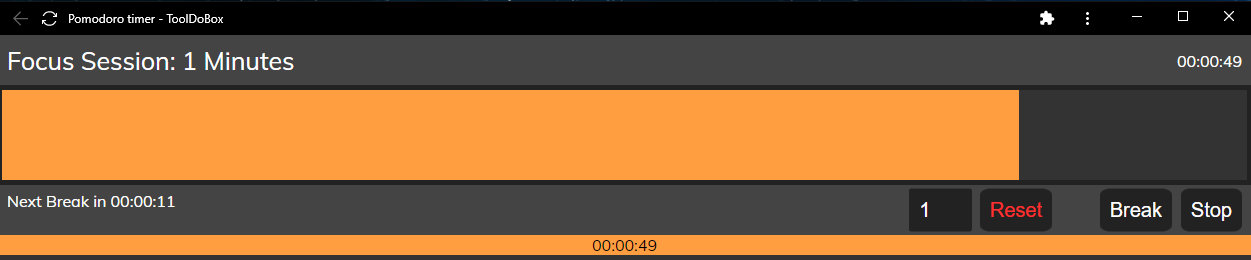
What It Does
- Visual progress bar that fills as time passes—like an hourglass but digital
- Toggle between focus sessions (orange) and break time (blue)
- Audio chimes when timers complete to keep you on track
- Day-view history showing your session timeline at a glance
- Persistent state across browser sessions using localStorage
- Configurable focus and break durations
- Offline-capable—works without an internet connection
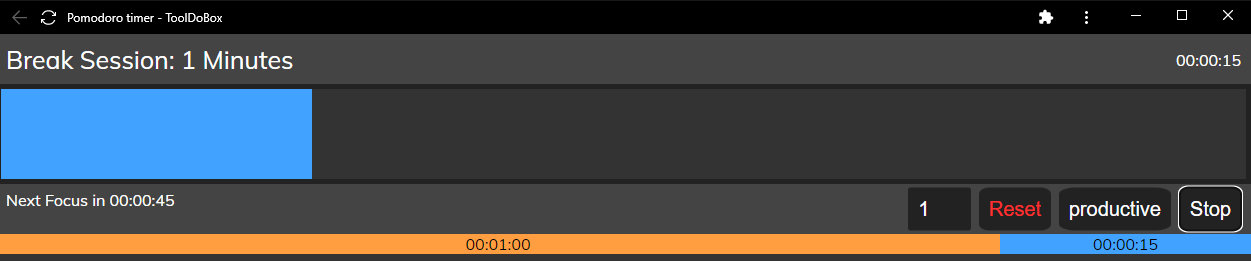 Break mode: switch to blue when it's time to rest and recharge.
Why I Built This
I've always struggled with time blindness during focus sessions. I'd get absorbed in a problem and look up hours later, realizing I hadn't taken a break or switched tasks. Traditional timers didn't work for me—numbers ticking down felt stressful rather than helpful. I needed something visual, something that let me see time passing without demanding my attention.
This was my first web application, built as a successor to my original productivity bar. I focused on the timer aspect rather than task progress tracking because I found myself using the timer far more often. Over time, I naturally started using it as a Pomodoro-style tool, alternating between focus and break sessions. That's when I added the timeline view at the bottom to see my entire day's rhythm at a glance.
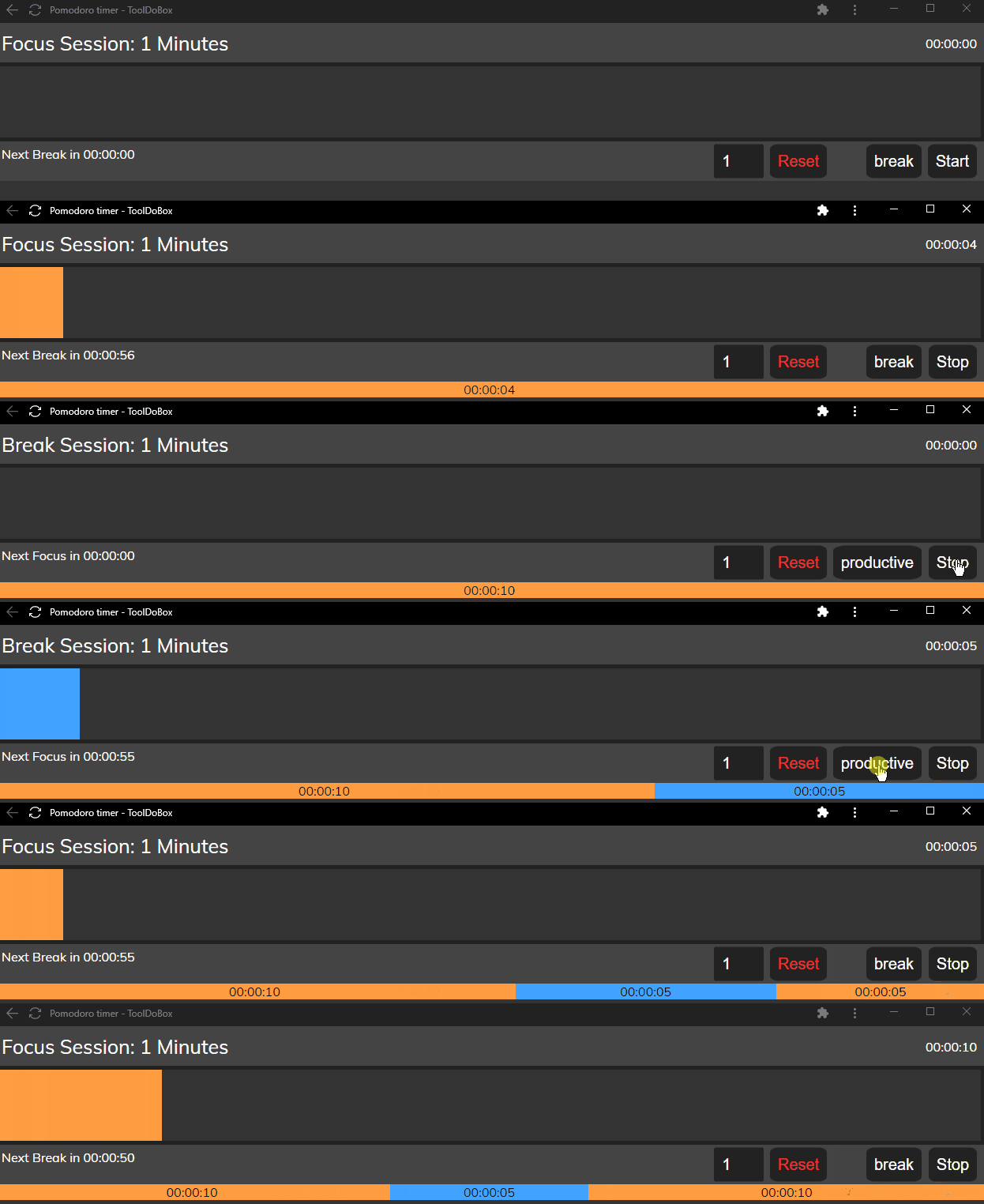 Toggle seamlessly between focus (orange) and break (blue) sessions.
How It Works
The Productivity Bar is built with vanilla JavaScript and uses timestamp-based timing to avoid drift issues common in interval-based timers. Instead of relying on setInterval accuracy, the app calculates elapsed time by comparing Date.now() to the session start timestamp, ensuring the progress bar stays accurate even if the browser tab is backgrounded or the system sleeps.
Session history is stored in localStorage as a dayViewSessions array, letting you see your focus/break pattern across the day. The progress bar width updates via CSS percentage calculations, and audio chimes (HTML5 Audio API) play when sessions complete. The toggle between focus and break modes swaps color themes and timer durations, with all state persisting across page reloads.
Impact
By the numbers:
- Used daily for focus sessions since February 2022
- Part of the ToolDoBox suite with 8 productivity tools
- Fully offline-capable with zero backend dependencies
What changed:
- Eliminated time blindness during deep work—I now naturally take breaks
- Replaced stressful countdown timers with calming visual feedback
- Created a tool I actually keep using (most Pomodoro apps I tried, I abandoned)
- Reduced context-switching by consolidating timer needs into one lightweight app
Challenges & Solutions
The hardest technical challenge was timer drift. Early versions used setInterval, which would slowly desync—a 25-minute focus session might end up being 25:30 if the browser throttled background tabs. I solved this by switching to timestamp-based elapsed time: store the start time, then calculate progress as (Date.now() - startTime) / totalDuration. This keeps the bar accurate regardless of browser tab state or system sleep.
Another challenge was making the visual feedback non-intrusive. I wanted time to feel present but not demanding. The solution was a filling bar rather than a draining countdown—psychologically, it feels like you're building something rather than racing against a deadline. The audio chime at completion is gentle, not jarring, which helps maintain focus flow.
What I Learned
I learned that time visualization matters more than I expected. The same timer can feel completely different based on how it's presented—counting down feels stressful, filling up feels rewarding. I also learned the importance of timestamp-based timing for any production timer app; interval-based approaches simply aren't reliable across different browser states and environments.
Most importantly, I learned that the best productivity tools are often the simplest. This app does one thing—shows time passing—and does it well. No accounts, no syncing, no feature bloat. Just a bar that fills, a chime when it's done, and a history of your day's rhythm.
Future improvements:
- Add session timer to track total productive time vs. break time
- Include session stats (average focus duration, break frequency)
- Refactor for better mobile responsiveness
- Add optional notifications for when you're away from the browser
Links
- Live Demo: tooldobox.com/apps/bar/productivitybar
- Code: Private (part of ToolDoBox suite)
- Previous Version: Original Productivity Bar
- Related: Goal Bar (sister tool for long-term goal tracking)