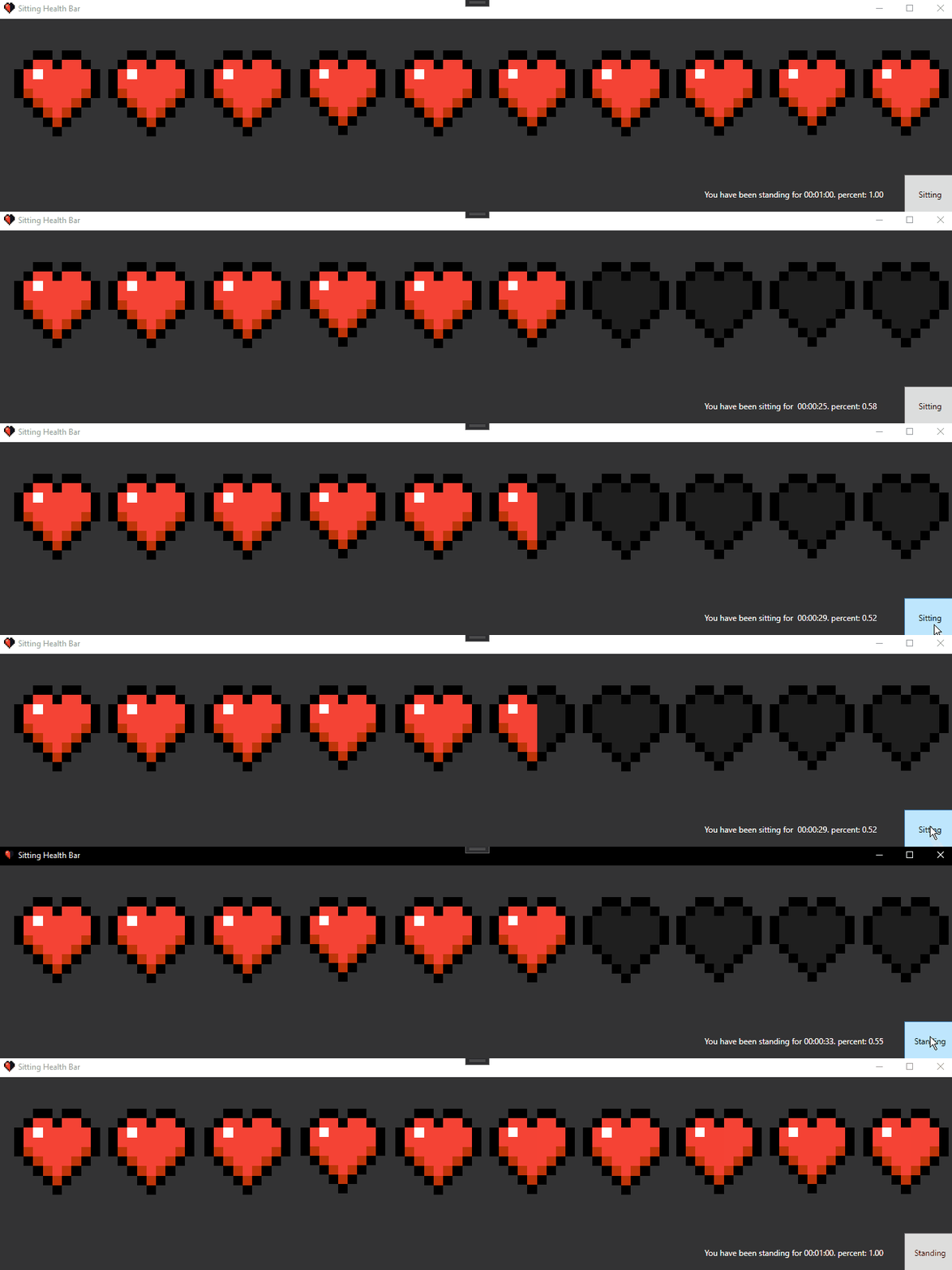
What It Is
Sitting Health Bar is a Windows desktop application that reimagines break reminders as a survival game mechanic. Instead of boring pop-up notifications, you get a Minecraft-themed health bar that gradually depletes as you sit. When your "health" reaches critical levels, the app plays iconic Minecraft damage sounds. Take a break and stand up? You'll hear the satisfying potion-drinking sound as your health regenerates.
- Minecraft-themed health bar visualization with familiar heart icons
- Authentic Minecraft sound effects (damage and healing)
- System tray integration for passive background monitoring
- One-click ClickOnce installer for easy distribution
- Lightweight footprint (~685KB) with minimal system impact
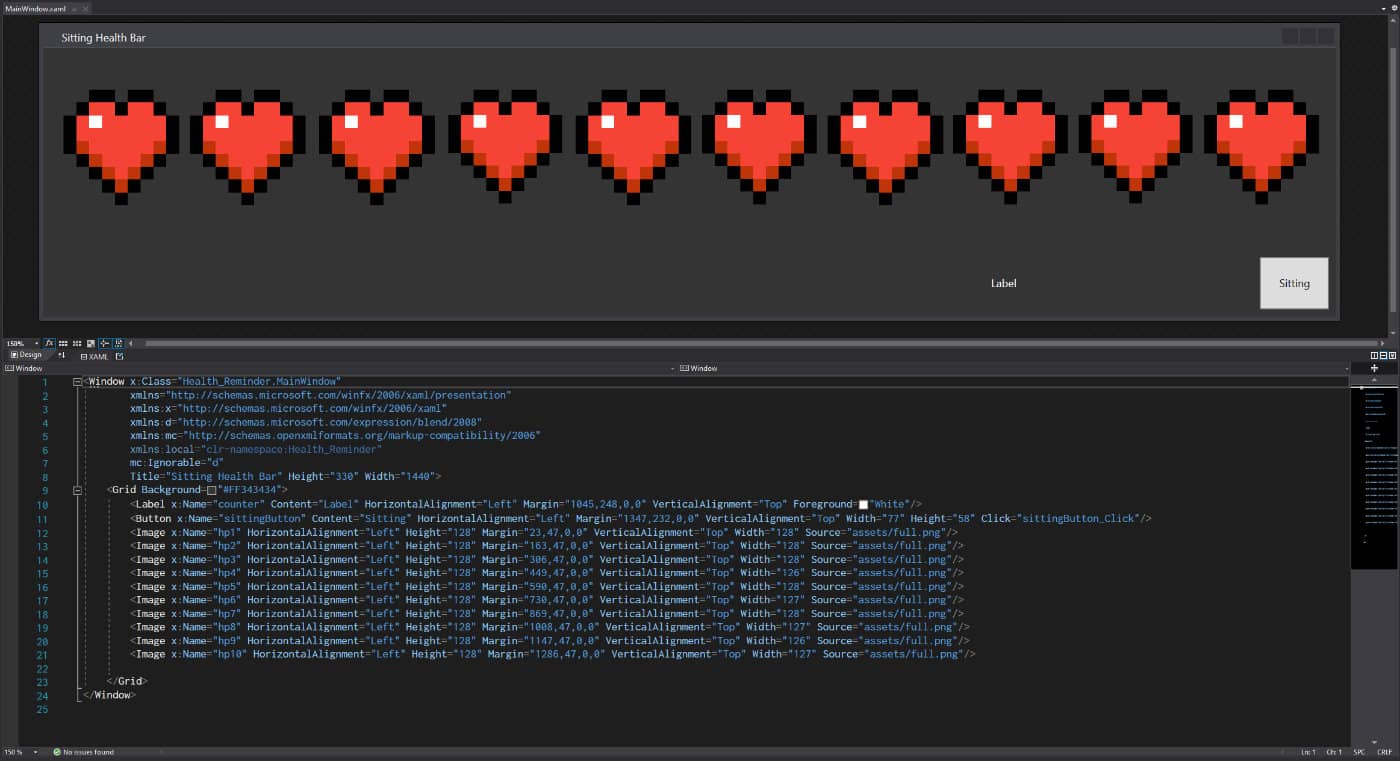 The application's code structure—built with C# and .NET Framework for Windows desktop.
Why I Built This
When school, work, gaming, art, reading, and basically the rest of your life is done on a computer at a desk, you start to get really tired of sitting. According to the University of Waterloo, people should be standing for at least 30 minutes per hour to get health benefits. But traditional health reminder apps are boring and easy to ignore—they feel like nagging rather than helpful.
I realized that many people, especially those who grew up gaming, respond better to gamified feedback than clinical health warnings. We've all seen health bars deplete in video games thousands of times. What if sitting at your desk depleted your real-world health bar? What if taking a break felt like drinking a healing potion?
The challenge was simple: create a reminder system that people would actually pay attention to by tapping into familiar gaming metaphors. By framing sitting time as a survival game mechanic, I could transform a health intervention into something playful, recognizable, and even nostalgic.
How It Works
The app runs persistently in the Windows system tray, tracking how long you've been sitting. A visual health bar (using Minecraft's iconic heart design) appears and gradually depletes over time—typically reaching critical levels after 45 minutes of continuous sitting.
When your "health" gets dangerously low, the app plays Minecraft's death/damage sound effect (death.wav) to alert you. This audio cue is instantly recognizable to anyone who's played Minecraft and creates an emotional response that generic notification sounds simply can't match. When you take a break and mark yourself as having stood up, the app plays the satisfying potion-drinking sound (potion.wav) and regenerates your health bar.
The technical implementation uses C# with Windows Forms, leveraging the .NET Framework's timer controls for tracking sit duration and system tray APIs for unobtrusive background operation. Audio playback is handled through embedded WAV files (73KB for damage, 355KB for healing), ensuring the app works offline without external dependencies.
Technical Details
Stack:
- Language: C# (Windows Forms)
- Framework: .NET Framework 4.7.2
- Deployment: ClickOnce with code-signed manifests
- Assets: Custom 256x256 health icon, embedded WAV audio
- Platform: Windows-only (requires .NET Framework 4.7.2+)
Key technical decisions:
- ClickOnce over MSI: Chose ClickOnce deployment to enable one-click installation without admin privileges, reducing friction for casual distribution
- Minecraft asset theming: Leveraged culturally recognizable Minecraft visuals and sounds to create instant user familiarity and positive emotional associations
- Windows Forms for speed: Selected Windows Forms over WPF for rapid prototyping—the straightforward API allowed completion in a single-day sprint
- Embedded audio: WAV files embedded directly in executable to ensure offline functionality and eliminate external dependencies
Challenges & Solutions
Making health reminders engaging: Traditional reminder apps fail because they feel like interruptions. I solved this by transforming the reminder into a familiar game mechanic. Instead of "You should stand up," the message becomes "Your health is critical!" The difference is subtle but psychologically powerful—one feels like a chore, the other feels like gameplay.
Audio integration without UI blocking: Playing sound effects in Windows Forms apps can block the UI thread if not handled carefully. I implemented asynchronous audio playback to ensure the health bar updates smoothly and the timer events fire reliably without lag, even when sounds are playing.
System tray lifecycle management: Background applications that don't exit cleanly or leak memory become frustrating quickly. I designed careful lifecycle management to ensure the app runs persistently without memory leaks, updates the health bar smoothly, and exits cleanly when dismissed from the system tray.
Deployment friction: I wanted this to be a fun, shareable project that anyone could install easily. ClickOnce deployment with self-signed certificates (visible as CN=CERBERUS\chris in the manifest) allowed me to create a setup.exe that users could run with a single click, minimizing Windows SmartScreen warnings while avoiding the complexity of traditional MSI installers.
What I Learned
This project taught me that gamification isn't just adding points and badges—it's about understanding what makes games engaging and applying those principles thoughtfully. Small creative touches like nostalgic sounds and familiar visual metaphors can dramatically improve engagement with mundane utility apps. Health reminders don't have to be clinical.
I learned the importance of distribution as part of product design. The README's emphasis on "just download the .zip" reflects my realization that distribution friction kills adoption for casual projects. Choosing ClickOnce over traditional installers removed a key barrier and made the project actually shareable.
Most importantly, I learned the discipline of rapid prototyping. Completing a functional Windows app with installer in one day required ruthless scope management—focusing on core value (timer + audio feedback) rather than overengineering with settings panels or persistent state. Ship the minimum viable experience first, then iterate based on actual usage.
Impact
By the numbers:
- Developed and shipped in a single day (April 29, 2021)
- Lightweight: ~685KB executable with no external dependencies
- Two version iterations in one day (1.0.0.0 → 1.0.0.1)
- Open-sourced on GitHub for others to learn from and modify
What changed:
- Proved that health interventions can be entertaining rather than naggy
- Demonstrated technical execution on a creative concept (gamified wellness)
- Showed understanding of user psychology—people engage more with systems that feel like games
- Built experience with ClickOnce deployment and Windows desktop development
Future Improvements
If I were to revisit this project, potential enhancements would include:
- Configurable timers: Add user settings to adjust health depletion rate (30/45/60-minute intervals) for different sitting tolerance levels
- Automatic break detection: Use idle detection to sense when users actually step away, rather than requiring manual "I took a break" confirmation
- Cross-platform support: Rebuild using Electron or Avalonia UI to support macOS and Linux users
- Alternative themes: Offer other gaming themes (Zelda hearts, Dark Souls health bars) to broaden appeal beyond Minecraft fans
- Break activity suggestions: Recommend specific stretches or exercises during break time
Links
- Code: GitHub Repository
- Download: Windows desktop app (ClickOnce installer available in repository releases)
Note: This project was created purely for fun and educational purposes. Minecraft assets are property of Mojang/Microsoft. A production version would require either licensing or creating original "Minecraft-inspired" assets.