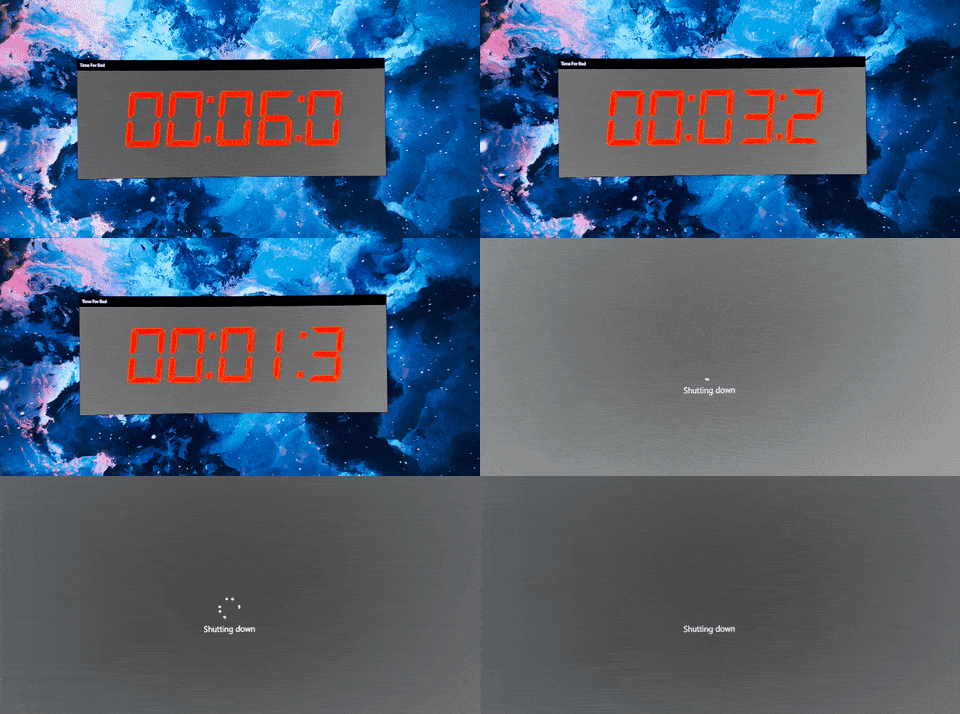
What It Does
- Automatically shuts down your computer after a preset time limit
- Displays a visual "health bar" that depletes as your time runs out
- Allows 2-minute delay extensions when you need to finish what you're doing
- Performs safe shutdown procedures that close programs properly
- Runs in the system tray for non-intrusive operation
- Configurable shutdown time through simple UI settings
- Visual warnings as bedtime approaches
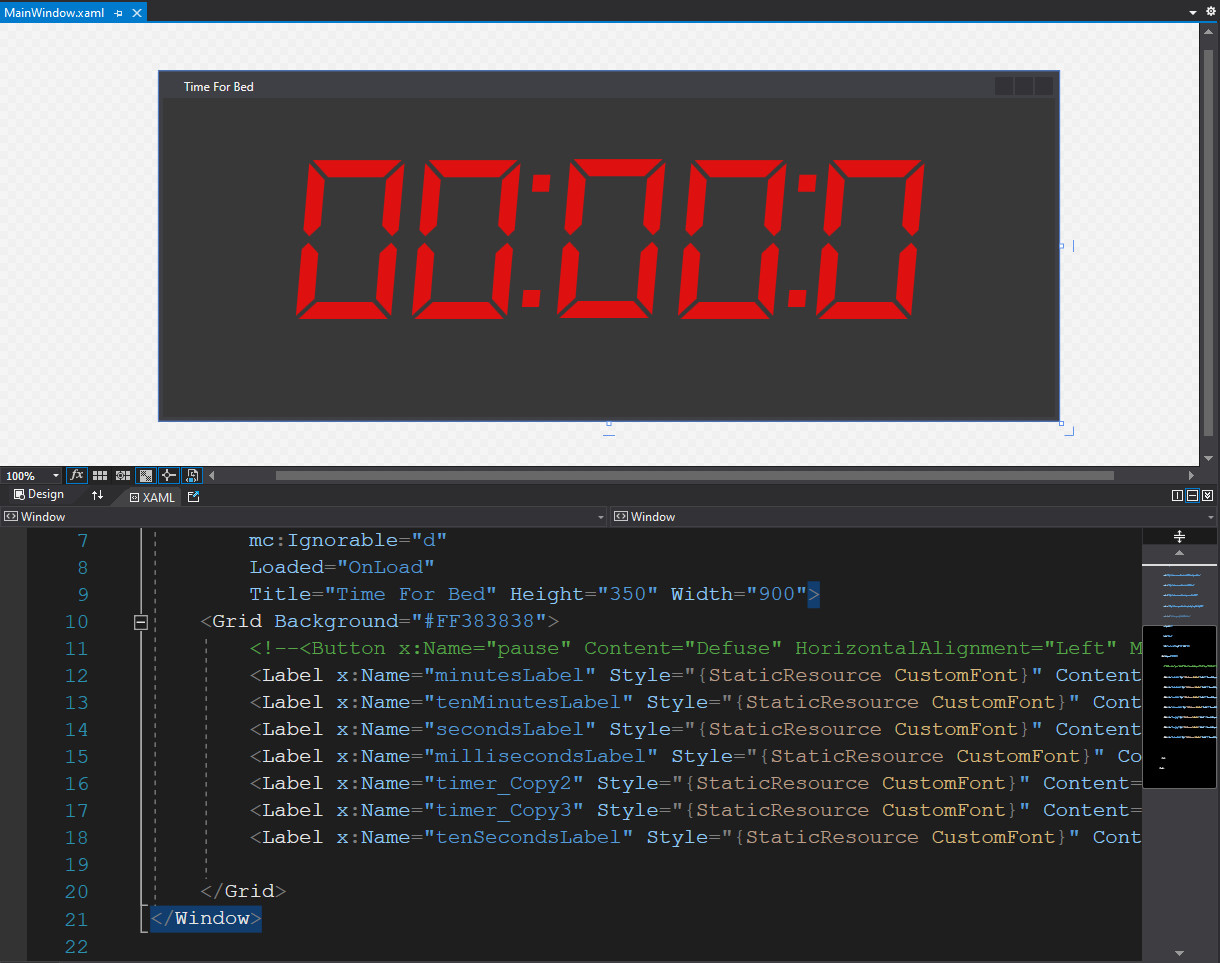 The XAML code behind the visual health bar interface.
Why I Built This
I have a problem with self-control when it comes to bedtime. It's so easy to watch just one more YouTube video, play one more game, or tell yourself "just another 15 minutes." This habit was pushing my bedtime later and later—sometimes to 1 AM or beyond—and I felt like I was losing control of my own sleep schedule.
The issue wasn't lack of awareness; I knew I should go to bed. The problem was the constant mental negotiation: "Is this a good stopping point?" "Should I finish this round?" "Maybe after this episode..." Each decision created friction and often led to staying up longer.
I needed to outsource the decision. Instead of relying on willpower at my most tired, I could make the choice once—during the day when I'm thinking clearly—and let the computer enforce it at night.
How It Works
System Shut Down Timer is built with C# and WPF (Windows Presentation Foundation), using XAML for the visual interface. The application runs in the Windows system tray and displays a health bar that represents your remaining computer time for the evening.
When you launch the app, you set your desired shutdown time. The timer begins counting down, and the health bar gradually depletes to provide a constant visual reminder of how much time remains. As bedtime approaches, the bar changes color to create urgency—green fades to yellow, then to red as the final minutes tick away.
The key technical decision was implementing safe shutdown procedures. Rather than forcing an immediate power-off (which could corrupt files or cause data loss), the app uses Windows API calls to trigger a graceful shutdown sequence. This gives running programs time to save state and close properly, just like clicking "Shut Down" from the Start menu.
The 2-minute delay feature uses a simple postponement mechanism: clicking the delay button adds 120 seconds to the countdown. This is intentionally short—long enough to finish a game round or save your work, but not long enough to enable endless procrastination.
Impact
By the numbers:
- Built as a personal productivity tool for maintaining sleep hygiene
- Configurable shutdown times with visual countdown feedback
- 2-minute delay increments as a "pressure release valve"
- Safe shutdown procedures preventing data corruption
What changed:
- Shifted bedtime decisions from tired-nighttime-me to alert-daytime-me
- Eliminated the mental negotiation of "just one more" by making the computer decide
- Created a clear visual representation of remaining time through the health bar metaphor
- Provided just enough flexibility (2-minute delays) to avoid frustration while maintaining discipline
- Reduced late-night gaming sessions that pushed bedtime past 1 AM
Challenges & Solutions
The biggest design challenge was balancing enforcement with flexibility. Too strict, and I'd work around it or disable it entirely. Too lenient, and it wouldn't actually change behavior. The 2-minute delay strikes this balance—it's short enough to prevent endless postponement but long enough to avoid panic-inducing forced shutdowns mid-game.
Another challenge was making the shutdown process safe and predictable. Windows shutdown APIs require specific permission levels and error handling. I had to ensure the app requests proper privileges at startup and handles edge cases where shutdown might fail (like when system-level processes block it).
The visual design needed to be motivating without being annoying. The health bar metaphor works because it's familiar to gamers (my target audience: myself). As your "computer health" depletes, it triggers the same urgency response as a low-health warning in a game, making the approaching deadline feel more concrete than a simple countdown timer.
What I Learned
I learned that the best productivity tools address your actual failure mode, not an idealized version of your behavior. I didn't need better time awareness—I needed removal of choice at the moment when willpower was lowest. Recognizing this shifted my approach from "more information" to "automated enforcement."
Working with Windows shutdown APIs taught me about privilege escalation and proper shutdown sequences. You can't just terminate processes—you need to send close signals, wait for graceful exits, and handle applications that refuse to close. This was my first project dealing with OS-level system calls.
The health bar visualization taught me the power of metaphor in interface design. A countdown timer says "time remaining." A depleting health bar says "your computer is dying." The emotional weight is completely different, even though they represent the same information.
Future improvements (if I revisited this):
- Add daily schedule presets (weekday vs. weekend shutdown times)
- Implement gradual warning system with audio cues at 30, 15, 5, and 1 minute marks
- Track statistics on actual shutdown times vs. planned times to visualize habit improvement
- Add "wind-down mode" that dims screen and disables games 30 minutes before shutdown
- Create configurable delay limits (e.g., max 3 delays per night) to prevent abuse
- Port to modern .NET with cross-platform support for macOS and Linux
- Add parent-control mode for helping kids manage screen time
Why This Approach Works
This tool succeeds because it removes decision-making at the exact moment when you're worst at making decisions. At 11 PM, after hours of gaming, your tired brain will rationalize anything. But at 2 PM, when you're setting the timer, your fresh brain knows what's best.
The 2-minute delay is crucial psychological design. It prevents resentment—you're not trapped by a tyrannical app, you still have agency. But the short duration means each delay costs something (the friction of clicking the button) while providing minimal reward (just 2 more minutes). This asymmetry naturally discourages overuse.
Finally, the health bar creates a "game" around going to bed on time. Instead of fighting against the tool, you end up trying to "beat" it by finishing your activity before the bar depletes. It transforms bedtime from a chore into a challenge with a clear win condition.
Links
- Tech Stack: C#, WPF (Windows Presentation Foundation), XAML, Windows API
- Status: Personal utility tool (active use)
- Platform: Windows desktop application